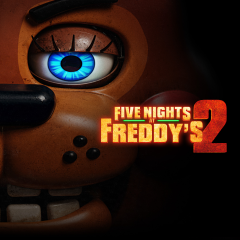
Five Nights at Freddy's 2 is the sequel in the FNAF horror game series. The suspense reaches an entirely new level, as the safety-door mechanic has been removed.
Set in a completely revamped version of Freddy Fazbear's Pizza, you once again step into the role of a newly hired night-shift security guard. Your task is to monitor the security cameras from midnight until 6:00 AM, all while fending off relentless attacks from animatronic haunted, mechanical beings that are trying to break into the security office.
If you’ve already survived the heart-pounding, terrifying night shifts of the first Five Nights At Freddy's, you certainly cannot miss Five Nights at Freddy's 2 a title that takes intensity, tension, and challenge to a whole new level!
Explore the core features and mechanics below that elevate Five Nights at Freddy's 2 into an absolute masterpiece of survival horror gaming:
| Highlight Feature | Detailed Experience Description |
|---|---|
| No Security Doors | The office no longer features the traditional iron doors to block animatronics, forcing players to rely entirely on distraction tools and quick reflexes. |
| Freddy Mask System | When facing animatronics invading your office, you must quickly put on the Freddy Fazbear mask to trick them into believing you are one of them. |
| Flashlight & Dark Hallway | The handheld flashlight illuminates dark hallways and air vents, but its limited battery life demands highly conservative usage. |
| Mysterious Music Box | Players must constantly switch cameras to the Puppet area to wind up the music box, as letting it stop will immediately trigger disaster. |
Mastering and fluidly combining these controls will help you react quickly to critical situations during your night shift:
Coordinating observation and defense: Use the Ctrl key to toggle your flashlight and quickly check the hallway ahead. If you spot an animatronic approaching, immediately press the W key to put on your mask.
Winding the music box: Hold the S key to open the camera monitor, click and hold the left mouse button on the camera feed for the area labeled "Camera 11" to wind the music box, then release the S key to lower the monitor and resume using your flashlight with the Ctrl key.
Handling threats from the sides: If you hear noises coming from the ventilation shafts on the left or right, quickly flash your light to check, then immediately press the W key to put on your mask keep it on until the sound of footsteps fades away.